Photoshop or Illustrator? Which Program Should You Learn First
Photoshop or Illustrator? Which Program Should You Learn First
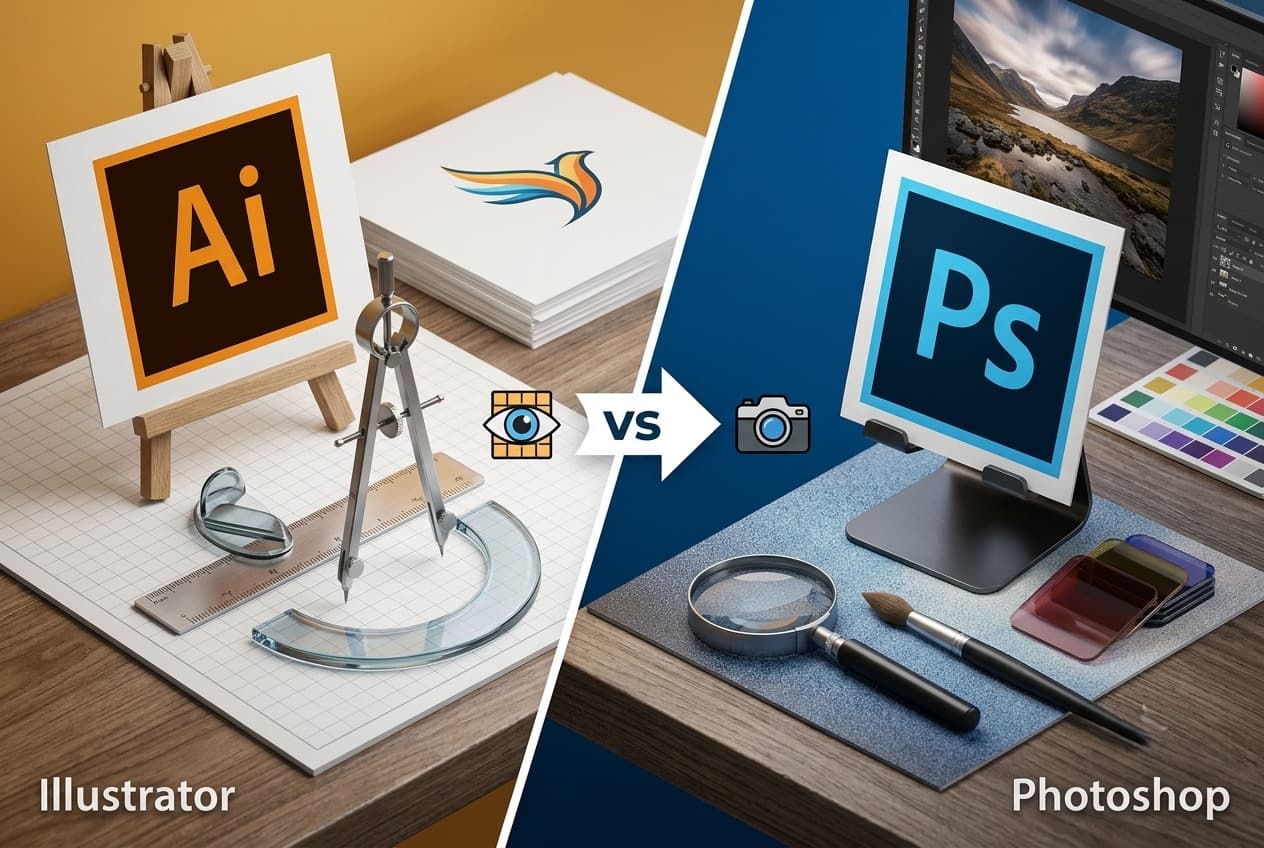
Should I learn Photoshop or Illustrator? This is one of the most common questions beginners ask in the field of graphic design, especially with the growing variety of digital specializations and the increasing demand for professional designers in the job market. While one of the two programs is the preferred choice for editing photos and creating visually rich, detailed designs, the other stands out for its ability to design logos and vector graphics that maintain their quality no matter how much their size changes. Choosing the right program to learn first doesn't depend on which one is absolutely better, but rather on your career goals and the type of projects you plan to work on in the future.
In this guide, we'll explain the key differences between the two programs, when each one is the most suitable choice, and how you can build a professional learning path.
What's The Difference Between Photoshop And Illustrator?
Although both programs are among the most popular design tools offered by Adobe, each one serves a different function:
- Photoshop is based on raster graphics, which makes it ideal for editing photos and adding effects and fine adjustments.
- Illustrator, on the other hand, is based on vector graphics, which can be enlarged or reduced without losing quality.
So, which should you learn, Photoshop or Illustrator? Simply put:
- If you work with photographs and designs that contain complex visual details, Photoshop will usually be the most suitable choice.
- For creating logos, icons, and professional graphics that need high precision at different sizes, Illustrator will be the most suitable.
If you're still unsure whether to use Photoshop or Illustrator, the following table clearly compares the two programs:
| Photoshop | Illustrator | |
| File Type | Raster images | Vector graphics |
| Main Use | Editing and manipulating photos | Designing logos and graphics |
| Enlargement Quality | May be affected when enlarged significantly | Stays high no matter the size |
| Best For | Photographs and digital ads | Logos, visual identity, and icons |
| Drawing Tools | Limited compared to vector graphics | Advanced for creating illustrations |
When Should You Use Photoshop?
Photoshop program is the best choice in the following cases:
- Editing photographs and enhancing their quality.
- Removing blemishes and backgrounds from images.
- Designing social media posts.
- Creating digital ad banners and marketing materials.
- Merging images and adding professional visual effects.
- Designing interfaces and visual content that rely heavily on images.
When it comes to the question of Photoshop or Illustrator, if your future career is connected to digital marketing, content creation, or image processing, then learning Photoshop will be a strong starting point.
Higher Saudi Skills Institute offers the best accredited Photoshop course, which helps you learn Photoshop basics from scratch all the way to mastering the program professionally.
When Should You Use Illustrator?
Illustrator program is the right choice when you need to:
- Design professional logos.
- Create visual identities for brands.
- Design icons and illustrations.
- Prepare custom graphics for printing in different sizes.
- Design infographics and vector visual elements.
- Create artwork that requires precision and the ability to scale up without losing quality.
For this reason, it's preferred by brand designers and graphic designers who work on professional logos, graphics, and printed materials.
If you're looking to enter the field of logo and icon design, the institute offers you the strongest accredited Illustrator course, led by specialists in the field, which teaches you Illustrator basics all the way to mastering the program and preparing confidently for the job market.
Which Is Easier For Beginners: Photoshop Or Illustrator?
The answer depends on the type of projects you want to work on:
- Many beginners find Photoshop easier at first because it involves directly working with images and visual edits that can be seen immediately.
- Illustrator, on the other hand, may take some time to understand the vector drawing tools and the process of creating elements from scratch.
That said, if your main goal is designing professional logos and graphics, learning Illustrator first may be more beneficial in the long run.
Generally speaking, when comparing Photoshop or Illustrator, it's best to choose the program that's closest to your practical interests, then later expand into learning the other program.
Does A Graphic Designer Need To Learn Photoshop And Illustrator Together?
In most cases, yes. A professional graphic designer benefits from using both programs together, because each one plays a different role within the same project.
For example, a logo and graphic elements can be designed in Illustrator, then Photoshop can be used to process images and prepare marketing materials or digital posts.
Mastering both programs gives you greater flexibility in carrying out projects and increases your career opportunities.
Uses Of Photoshop In The Job Market
Photoshop is one of the most in-demand programs in many creative and marketing fields, thanks to its ability to process images and create attractive designs for different platforms.
Its most notable uses in the job market include:
- Designing social media posts and ads.
- Editing commercial images and product photos.
- Preparing digital ad banners.
- Designing marketing materials and ad campaigns.
- Processing images for websites and online stores.
- Creating visual designs for digital content and presentations.
This is why demand for Photoshop specialists is growing among marketing agencies, companies, online stores, and content creators.
Uses Of Illustrator In Logo Design
Illustrator is considered the professional standard for designing logos and visual identities, because it's based on vector graphics that maintain their quality at all sizes. Its most notable uses include:
- Designing professional logos.
- Creating visual identities for brands.
- Designing icons and symbols.
- Preparing custom graphics for printing.
- Designing infographics and illustrative elements.
- Creating final files used for billboards and printed materials.
This is why most brand designers rely on Illustrator when developing logos and core graphic elements.
Which Is Better For Social Media Design: Photoshop Or Illustrator?
For most social media designs, Photoshop is the more common choice because it offers powerful tools for working with images and adding text and visual effects quickly and easily.
Illustrator's tools, on the other hand, are useful when a design requires creating custom graphics, icons, or original vector elements before merging them into the final design. Therefore:
- If your main goal is designing daily content for social media platforms, Photoshop will usually be the right starting point.
- Meanwhile, Illustrator helps you develop your skills in designing graphic elements and professional logos.
How Do You Choose The Right Program For Your Goal: Photoshop Or Illustrator?
Choosing the right program depends on the type of work you want to do and the career path you're aiming for. You can use the following guide:
| Your Goal | Best Program |
| Editing and enhancing photos | Photoshop |
| Designing social media posts | Photoshop |
| Creating digital ads | Photoshop |
| Designing logos | Illustrator |
| Building a visual identity for brands | Illustrator |
| Designing icons and illustrations | Illustrator |
| Working in digital marketing and content creation | Photoshop |
| Working in graphic design and branding | Illustrator |
Can You Learn Photoshop And Illustrator Together?
Yes, you can learn Photoshop and Illustrator together, especially if you're planning to work professionally in graphic design.
Many projects require using both programs side by side, where Illustrator is used to design logos and graphic elements, while Photoshop is used to process images and prepare final designs.
However, for beginners wondering about Photoshop or Illustrator, it's best to start with the program most closely related to their current goals, then move on to the other program after gaining the basics of design.
How Do You Start Becoming A Professional In Graphic Design?
Becoming a professional in graphic design doesn't depend on learning the software alone, but on building a strong foundation that combines skill, practical application, and developing a portfolio. You can get started following these steps:
- Learn the principles of graphic design such as color, contrast, composition, and typography.
- Start mastering Photoshop or Illustrator according to the field you want to work in.
- Continuously carry out hands-on projects instead of relying only on theoretical viewing.
- Build a portfolio that includes your best designs to showcase your skills to employers and clients.
- Keep up with the latest design trends and apply them in your projects.
- Get training from an accredited provider that helps you gain practical experience and build a professional foundation.
Best Accredited Course For Beginners In Photoshop And Illustrator
If you're looking for a professional start that combines theory with practical application, the in-person courses offered by Higher Saudi Skills Institute are a suitable choice for beginners looking to enter the field of graphic design.
Whether you want to learn Photoshop or Illustrator, the institute offers accredited training courses that start from the basics, with practical applications that help trainees gain the skills the job market needs, under the supervision of specialized trainers.
After completing the program, trainees also receive an accredited certificate, and the courses are held in person at the Riyadh, Jeddah, and Khobar branches. Through the Photoshop and Illustrator courses, you will learn:
- Getting familiar with the Photoshop and Illustrator interfaces and their basic tools.
- Editing images professionally and creating attractive digital designs.
- Designing logos, visual identities, and vector graphics.
- Working with colors, fonts, and layers professionally.
- Carrying out practical projects that simulate job market requirements.
- Preparing designs for digital publishing and printing.
Start your journey into the world of graphic design today, and hurry to enroll in the accredited courses at Higher Saudi Skills Institute to gain practical Photoshop and Illustrator skills under the guidance of specialized trainers, and reserve your seat before spots run out.
FAQs
What are the Adobe Photoshop and Illustrator programs?
They are two programs by Adobe; Photoshop is used for image processing and digital design, while Illustrator is used for designing professional graphics and logos.
What's the difference between Illustrator and Photoshop?
Photoshop is based on editing photos and raster designs, while Illustrator is used to create vector graphics such as logos and icons.
Should I learn Photoshop or Illustrator first?
It depends on your goal; if you're interested in photos and social media, start with Photoshop, while if you want to design logos and visual identities, start with Illustrator.
Does learning Photoshop and Illustrator help you get job opportunities?
Yes, they are among the most in-demand design programs in the fields of digital marketing, graphic design, content creation, and visual identity.